Borrowing & Accounts
Book Lockers
ARZLS provides contactless, 24/7 access for patrons who prefer not to enter the building or who need outside accessibility.
AZRLS lockers are conveniently located near the library’s main entrance and patrons will either scan their library card (physical card or from the PINES app) or manually enter their library card number on the touch screen. An assigned locker door will open, where items may be retrieved. Patrons should securely close the door after picking up all items. AZRLS currently has lockers located at the following member library locations.
-
Eatonton-Putnam County Library (Eatonton, GA)
Greene County Library (Greensboro, GA)
Jasper County Library (Monticello, GA)
Monroe-Walton County Library (Monroe, GA)
Morgan County Library (Madison, GA)
O’Kelly Memorial Library (coming soon to the new building/location)
Sparta-Hancock County Library (Sparta, GA)
W.H. Stanton Memorial Library (Social Circle, GA)
-
Scan your library card (physical card or from the PINES app on your device), or enter your library card number manually on the touch screen. The locker door will pop open and you may retrieve your checked-out items. Close the door after retrieval.
-
The Azalea Regional Library System received grant funding to purchase the SmartAxess Lockers through an Institute of Museums and Library Services (IMLS) ARPA Digital Inclusion grant, administered by Georgia Public Library System.
Fines & Fees
-
Damaged audio/video cases $5 (max)
Damaged (Large) Audio/video cases $6 (max)
Missing/Lost audio/video cases, barcodes and/or Cover art (charges vary depending on item) $10 (max)
-
B&W 0.20¢ per page
Color $1.00 per page
-
Business Card Size .50¢ per item
6" x 9" .75¢ per item
8 1/2″ x 11″ $1.00 per item
8 1/2″ x 14″ or 11″ x 17″ $2.00 per item
-
B&W or Color copies .20¢ per page
-
Domestic calls only *No International Calls Permitted $1.00 per page
-
Proctoring is by appointment only. Please contact the Library Manager of your local library to schedule a time that is convienent.
Supervised Written or Computer Test $30.00 per 4 hr block/ per test
Unsupervised Written or Computer Test $10.00 per test
* All return postage charges for test materials will be the responsibility of the patron, due at the time of proctoring appointment.
-
Notary Services $2.00 per stamp
Passport Photo $10.00 per photograph
Georgia Library Service (GLS) for the Blind and Print Disabled
GLS (formerly Georgia Libraries for Accessible Statewide Services – GLASS) promotes the use of assistive technology and accessible reading materials for those who are blind or whose physical abilities require the use of books and magazines in audio format or in braille.
The GLS network cooperates with all of the state’s library systems to give Georgians ready access to materials from the free national library program administered by the Library of Congress and the National Library Service for the Blind & Physically Handicapped (NLS).
Greene County Library serves as a GLS Ambassador site. Please contact the library for information: (706) 453-7276
Please find out more at: find out more: https://gls.georgialibraries.org/
Interlibrary Loan
Interlibrary Loan, also known as ILL, is a service that allows Azalea Regional Library System patrons to borrow books and materials for free or receive photocopies of documents owned by other libraries. Borrowers must have a valid AZRLS PINES library card to make a request. At this time, ILL is a free service for AZRLS patrons. Shipping charges may be required for large/oversized/heavy items. Photocopies typically have no charge.
-
If a book, magazine, or journal article you are seeking is not owned by the Azalea Regional Library System and not available by placing a hold through the PINES catalog, we can often obtain it for you through a network of agreements we participate in with library systems around the country.
-
You must have an Azalea Regional Library System PINES card and be a Greene, Hancock, Jasper, Morgan, Putnam, or Walton County resident to request Interlibrary Loans.
Your AZRLS PINES library card must be up-to-date and unblocked (no lost materials, fees, or excessive fines).
Please check the PINES library catalog to be sure the item is not owned by another PINES library. Any material currently owned by a PINES library should be placed “on hold,” rather than requested through Interlibrary Loan.
Current / new books may not be requested through Interlibrary Loan.
When requesting a book, please make sure to provide the correct spelling of the title and author’s name. Failure to do so could result in the request being rejected.
AZRLS will process 5 requests per patron at one time. This includes requests that have already been submitted, but are not yet completed. AZRLS does not request textbooks through Interlibrary Loan.
A separate form is needed for each book and/or photocopied article desired.
Interlibrary Loan materials are borrowed from other libraries. Please return items on time! If these materials are not returned on time, we may not be able to borrow from those libraries again.
When placing a request, please specify the member library where you want to pick up the material.
Due dates for Interlibrary Loan materials are set by the lending library. To renew Interlibrary Loan materials please call the AZRLS Technical Services Department at (706) 342-4974 ext. 1024. Only the Technical Services Department can renew items.
-
You may fill out an Interlibrary Loan form at any one of our member libraries or print out the AZRLS Interlibrary Loan Form and bring it to one of our member libraries to complete the process. Please fill out all fields. Incomplete forms may be rejected.
Library of Things
-

Pickle Ball and Disc Golf Sets for check out
Calling all Pickleball fans! Pickleball sets are now available at the Monroe-Walton County Library for a 7-day check-out. To place a hold on a set, log in to your PINES account and search “pickleball” or "disc golf" under Monroe-Walton County Library.
-

GA State Park Discovery Backpack
Kit includes:
3 folding pocket guides (birds, trees & wildflowers, & wildlife)
1 pair of binoculars with strap and case
Put on hold through your PINES account or drop by your local AZRLS Library.
-

Sewing Machine
Need to sew a project? You can check out our Jaguar Mate Model 380 sewing machine from Greene County Library. Simply log into your PINES account to put it on hold or visit the Greene County Library.
-

Telescope
Star Gazers! Check out our Orion SkyQuest XT8 Dobsonion reflector telescope or Orion StarBlast 4.5" altazimuth reflector tabletop telescope to gaze at the stars.
Simply log into your PINES account to put it on hold or visit the Morgan County Library.
-
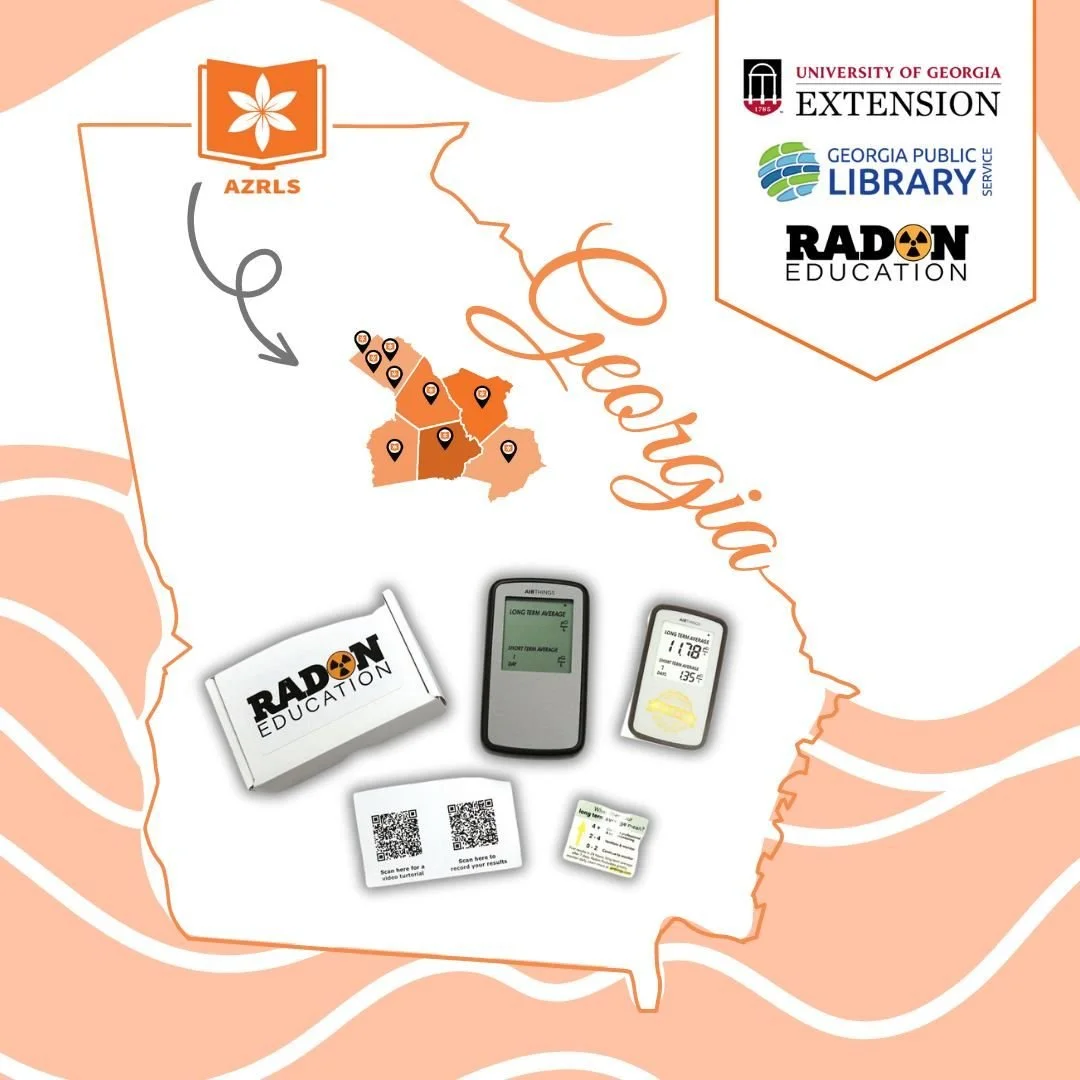
Home Radon Detection Kit
This accurate, user friendly digital radon gas detector with LCD screen is powered by 3 AAA batteries. This device detects radon levels and gives an overview from 1 day, 7 days and long term averages.
PINES Kids
Parents and caregivers, libraries help kids become strong readers. Swing into your local library and find PINES critters! These characters love the library and can help you explore new ways to use your library. Kids can have fun completing challenges, doing crafts, earning prizes, and meeting these new friends! PINES critters can inspire kids to read, learn, create, and connect. Discover more at georgialibraries.org/kids.
-
Students use their student ID number just like a regular PINES library card.
The program is free, and there are no overdue fines. Fees apply for lost or damaged materials only.
Use library computers and wireless internet. Check out five items (Audiobooks, Books, DVDs, Launchpads, and more) at a time.
When prompted for a library card number, use your school district prefix (see Participating Schools in the drop down menu.) and student lunch number (ex: HCS12345).
Some online resources require creating a free account with a valid email and username/password of your choice (ex: Hoopla)
-
PLAY accounts give students in the following school districts free access to Azalea Regional Library resources and services. Students also have access to over 11 million items through the PINES lending network.
Greene County Students (GRE)
Hancock County Students (HCS)
Jasper County Students (JCS)
Morgan County Students (MCC)
Putnam County Students (PCS)
Social Circle Students (SCC)
Walton County Students (WCS)
-
Check out up to five items at a time (books, DVDs, audiobooks, etc.).
Pay no late fines! (*fees apply only for lost or damaged items)
Ask expert library staff for book recommendations.
Pick up books you’ve had delivered from other PINES libraries.
Enroll in classes and programs offered by your local library, including summer reading programs and tutoring services.
-
Search the PINES library catalog of over 11 million items for books, DVDs, audiobooks, and other materials at over 300 libraries across Georgia.
Place items on hold for free delivery to your library branch of choice through your PINES account.
Store lists of books you’ve read and would like to read through your PINES account.
Check out free downloadable ebooks and audiobooks (and more) from our Digital Libraries for all ages.
PINES Library Card & App
PINES (Public Information Network for Electronic Services) is Georgia’s “borderless library” system that allows PINES card holders free access to books and other materials in nearly 300 library branches and affiliated service outlets throughout the state. 52 of the 61 regional library systems (a total of 149 counties) are members of PINES.
The PINES app puts the resources of nearly 300 Georgia libraries right in your pocket. Whether you’re at home or on the move, you can search millions of books, place holds for local pickup, and renew your items with just a tap.
One of our favorite features? You can use the app to scan a barcode at a bookstore to see if you can borrow it for free instead! Plus, it stores a digital version of your library card and lets you manage your whole family’s accounts in one place—making your next library visit easier than ever.
-
You are eligible to apply for a free PINES card if you live, work, or go to school in Georgia. Successful completion of this form will give you an e-card account number that provides access to online resources. To upgrade your e-card to a full library card with permissions to check out books, DVDs, and other library materials, please bring your e-card number and your current photo ID into any PINES library. If you wish to apply for an out-of-state card, please contact your nearest PINES library branch directly for assistance.
Apply online
-
How to videos
-
The answers to most of the questions that the PINES staff receive are listed on this page. If you have a question about a fine or an item listed on your account, please Contact Your Local Library.
-
stands for Georgia Library Learning Online, an initiative of the Board of Regents of the University System of Georgia. GALILEO is an online library portal to authoritative, subscription-only information that isn’t available through free search engines or Web directories. Participating institutions may access over 100 databases indexing thousands of periodicals and scholarly journals. Over 10,000 journal titles are provided in full-text. Other resources include encyclopedias, business directories, and government publications.
LearningExpress Library
Ancestry.com Library Edition
ProQuest (magazines/journals)
EBSCOhost (magazines/journals)
New Georgia Encyclopedia
Digital Library of Georgia
Newspapers (AJC/NYT
Consumer information (Consumer Reports)
Georgia government publications …and much more!
To access, visit gapines.org
Start by clicking on My Account and logging in with your Library Card info. Once you are logged in click on GALILEO Virtual Library in the top menu bar to start accessing the online library portal.
PLAY Student Card
Georgia Public Library Service and PINES public libraries partner with school districts across Georgia to offer PINES Library Access for Youth (PLAY). The PLAY student library card program provides fines-free access to books and online resources to help students succeed in school.
Children learning to read, youth doing research, and teens preparing for college have immediate access to fines-free public library materials and resources using their public school student ID.
-
Students use their student ID number just like a regular PINES library card.
The program is free, and there are no overdue fines. Fees apply for lost or damaged materials only.
Use library computers and wireless internet. Check out five items (Audiobooks, Books, DVDs, Launchpads, and more) at a time.
When prompted for a library card number, use your school district prefix (see Participating Schools in the drop down menu.) and student lunch number (ex: HCS12345).
Some online resources require creating a free account with a valid email and username/password of your choice (ex: Hoopla)
-
PLAY accounts give students in the following school districts free access to Azalea Regional Library resources and services. Students also have access to over 11 million items through the PINES lending network.
Greene County Students (GRE)
Hancock County Students (HCS)
Jasper County Students (JCS)
Morgan County Students (MCC)
Putnam County Students (PCS)
Social Circle Students (SCC)
Walton County Students (WCS)
-
Check out up to five items at a time (books, DVDs, audiobooks, etc.).
Pay no late fines! (*fees apply only for lost or damaged items)
Ask expert library staff for book recommendations.
Pick up books you’ve had delivered from other PINES libraries.
Enroll in classes and programs offered by your local library, including summer reading programs and tutoring services.
-
Search the PINES library catalog of over 11 million items for books, DVDs, audiobooks, and other materials at over 300 libraries across Georgia.
Place items on hold for free delivery to your library branch of choice through your PINES account.
Store lists of books you’ve read and would like to read through your PINES account.
Check out free downloadable ebooks and audiobooks (and more) from our Digital Libraries for all ages.
-
The School 3 letter prefix is all CAPS
There should be no spaces, dashes, or special characters in the password.
If you have a student with a "No Media" tag in Infinite Campus, parents have requested no photos or social media be posted of their child. This will also prevent the student from having their information shared with the public library system; thus, they will not have access to My PINES or a PLAY Card through the school system.


Proctoring
Azalea Regional Library System offers proctoring for both written and computer-based exams to support area residents in their educational and professional goals. This service is available at all branches by appointment.
-
Unsupervised Written/Computer Test – $10.00 per test Supervised
Written/Computer Test – $30.00 per 4 hr block/per test
* All return postage charges for test materials will be the responsibility of the patron, due at the time of proctoring appointment. Pre-paid return envelopes are preferred.
Payment by check is preferred. Please note, if paying with cash you must have the exact amount as staff will not be able to make change or break large bills.
-
Tests are scheduled at the convenience of Library Staff within the operating schedule of the library. Testing may not interfere with normal library operations and must be completed thirty (30) minutes prior to closing. Online tests will be administered on a library computer.
-
Present your valid picture I.D. (Driver’s License, Military ID or Passport) at the time of the exam.
Pay the proctoring fee per test to the Library Manager.
If you do not bring a pre-paid envelope, provide a stamped, addressed envelope to return examinations not taken online.
Printing is 0.20¢ per page.
Come prepared with pens, pencils, paper, calculator, or other approved materials.
Exams must be completed at least thirty (30) minutes prior to closing.
-
As a courtesy, if you are unable to keep the scheduled testing time, please contact the library or Library Manager as soon as possible.
Selector Service
Let us do the browsing for you!
If you know exactly what you want to read, need some assistance deciding about books or movies, or just want to be surprised, our staff can help.
To utilize this service, choose one of the following forms of communication:
Fill out the Selector Service Form below (quickest way) or call your local library & speak to a staff member during regular business hours.
Fill out the form here: AZRLS Selector Service