Digital Resources
-
![Libby Logo]()
With Libby,
you can borrow free ebooks, digital audiobooks, and magazines from your library. All you need is a library card.
Instruction on how to access Libby
See also
-
![Hoopla logo]()
Hoopla
is a streaming service that lets you borrow e-books, e-audiobooks, comics, music, movies, & TV shows whenever you want with no holds or wait times. You can use Hoopla on a computer, Android, Apple, Roku, Amazon Fire or Chromecast device.
You will be able to check out up to 5 (five) items per month with each checkout lasting for two weeks.
-
![Freading logo]()
Freading
is a downloadable eBook service from Library Ideas that contains over 8,000 titles with simultaneous access so there are no holds needed—an unlimited number of library patrons may download a Freading eBook title at the same time.
The Freading eBook service is available at Freading.com and has a free app which can be downloaded for free to any device.
*A valid PINES library card is required for access.
-
![Galileo logo]()
GALILEO
stands for Georgia Library Learning Online, an initiative of the Board of Regents of the University System of Georgia. GALILEO is an online library portal to authoritative, subscription-only information that isn’t available through free search engines or Web directories. Participating institutions may access over 100 databases indexing thousands of periodicals and scholarly journals. Over 10,000 journal titles are provided in full-text. Other resources include encyclopedias, business directories, and government publications.
- LearningExpress Library
- Ancestry.com Library Edition
- ProQuest (magazines/journals)
- EBSCOhost (magazines/journals)
- New Georgia Encyclopedia
- Digital Library of Georgia
- Newspapers (AJC/NYT
- Consumer information (Consumer Reports)
- Georgia government publications …and much more!
To access, visit gapines.org Start by clicking on My Account and logging in with your Library Card info. Once you are logged in click on GALILEO Virtual Library in the top menu bar to start accessing the online library portal.
-
![eread kids logo]()
ERead Kids
Here's how to access your library's eRead Kids collection:
Download The Palace Project app from the App Store (iOS) or the Google Play Store (Android).
Open the app and search for "eRead Kids." Selections will sort alphabetically by "eRead Kids - Azalea Regional Library System."
Select your library and start browsing!
When you first login you will see the following pop-up notification: Please note that existing titles in the eRead Kids collection will continue to be added to The Palace Project app in the background over the next few months. In some cases, Palace needs to work directly with smaller publishers to coordinate license transfers.
To checkout a title for the first time, click on it and select "Borrow." Patrons will be prompted to enter the card number and PIN to check out. (You should only have to do this once.)
-
![]()
PINES
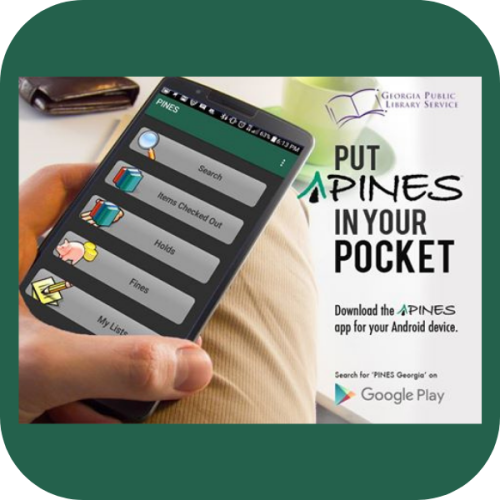
(Public Information Network for Electronic Services) is Georgia’s “borderless library” system that allows PINES card holders free access to books and other materials in 300 library branches and affiliated service outlets throughout the state.
Every resident of Georgia is eligible to receive a free PINES library card, even if your local library system is not a member of the PINES network. Visit any participating PINES or gapines.org library to get started.
-
![]()
Mango Languages
Have your Azalea Regional Library System card number and your PIN/password ready.
Tip: Your PIN is often the last four digits of your phone number or the year you were born. If you don't know it, you may need to call any AZRLS library to reset it.
New Users: Create a free Mango account using your email and a password.
- Navigate to gapines.org and login with your credentials. On the top menu select GALILEO
- Create/Login to Mango: After successful authentication, you will be directed to the Mango Languages website.
Returning Users: Log in with your existing Mango account credentials.
- Start Learning: Select your language of choice and begin your lessons! Once you have created an account, you can typically log in directly via the Mango website or app without needing to authenticate through PINES again.
- After creating your Mango account via one of the methods above, you can download the free Mango mobile app from the App Store or Google Play Store to access your lessons on your phone or tablet.
-
![]()
The Digital Library of Georgia
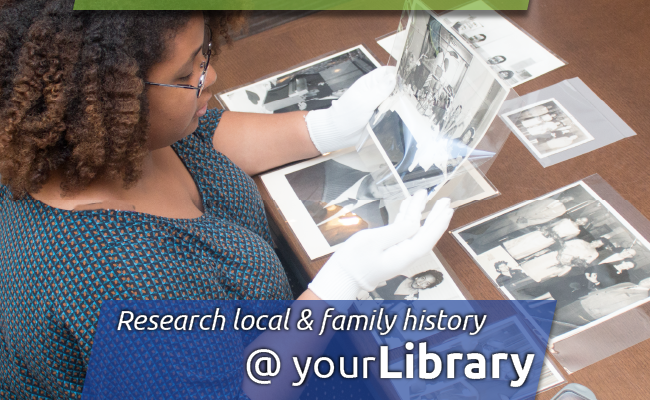
provides access to dozens of genealogical collections from public libraries across Georgia, including historic photographic collections, university yearbooks, song books, student newspapers, and more. Visit the @DigitalLibraryofGeorgia at dlg.usg.edu
-

PLAYAWAY
Listening without limits. Everyone can listen to audiobooks on Playaway.
Playaway is the pre-loaded audiobook that gives library patrons the portability and freedom to take audiobooks everywhere. No connectivity or downloads needed — ever.
-

Launchpads
Pre-loaded with content for kids, teens, and adults, designed with a simple, easy-to-use interface, and 100% secure, Launchpad tablets are made to be passed from one set of hands to the next.
No download time. No need for Wi-Fi. Access to powerful content is simple as turning on each device — anytime, anywhere.
-

Wonderbooks
Playaway is changing the way kids read along. Every Wonderbook is a print book with a ready-to-play audiobook inside. Kids will press play to read along with their favorite books and then switch to learning mode for literacy learning and fun.
-

Vox Books
VOX Books combine outstanding picture books, chapter books, and non-fiction titles with audio recordings that capture children’s attention and make learning and literacy development fun.