Books, Digital Libraries, and E-Media
Books
AZRLS is a proud member of PINES, a public library automation and lending network for over 300 libraries and affiliated service outlets in 53 library systems covering 146 counties. PINES creates a statewide “borderless library” that provides equal access to information for all Georgians.
PINES App
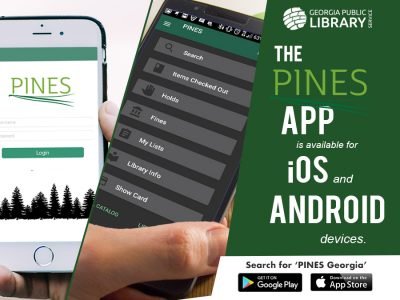
Take the "borderless library" with you wherever you go! The PINES app puts the resources of nearly 300 Georgia libraries right in your pocket. Whether you’re at home or on the move, you can search millions of books, place holds for local pickup, and renew your items with just a tap.
-
Search the catalog
Place hold requests
See your due dates and renew items
Check on fines
Get any PINES library’s address and contact information
Special features include:
Digital card which can be scanned in place of your library card
Multiple account management – switch between your account and your children’s accounts easily
Light and dark modes
One of our favorite features? You can use the app to scan a barcode at a bookstore to see if you can borrow it for free instead! Plus, it stores a digital version of your library card and lets you manage your whole family’s accounts in one place—making your next library visit easier than ever.
-
-
Digital Libraries
Libby
With Libby you can borrow free ebooks, digital audiobooks, and magazines from your library. All you need is a library card. Visit Libbyapp.com
Hoopla
Hoopla is a streaming service that lets you borrow e-books, e-audiobooks, comics, music, movies, & TV shows whenever you want with no holds or wait times. You can use Hoopla on a computer, Android, Apple, Roku, Amazon Fire or Chromecast device.
You will be able to check out up to 5 (five) items per month with each checkout lasting for two weeks.

Freading
Freading is a downloadable eBook service from Library Ideas that contains over 8,000 titles with simultaneous access so there are no holds needed—an unlimited number of library patrons may download a Freading eBook title at the same time. *A valid PINES library card is required for access.

-
You need to have a valid library card from a library that has contracted the Freading eBook Service. Although www.freading.com is visible on the World Wide Web, you will be prompted for a valid library card before you can actually download a book. Only library cards from subscribing libraries will work. Valid users can enter the site either from the web or via their subscribing library web site.
You need to decide on what device that you will read the eBooks. The most popular devices that are compatible with Freading eBooks are:
Any computer or laptop running a Windows or Mac platform with at least a modest hard drive, some free RAM, and a browser that has been updated in the past year or two. Major browsers such as IE, Safari, Firefox, and Chrome will show the site just fine.
The Apple iPad® and iPhone®. The Freading eBook service has a free application in the Apple App Store which you can download. Accessing content is easy, you just hit “get books” at the bottom of the app.
Most Android™ based tablets and phones. We say “most” because some devices are Android based, but do not allow access to the full Android App Market, but a subset of that store. The Freading eBook Service has a free application in the Android app Market, and tablets that allow you to download the app include tablets from Motorola, Sony, Samsung and Acer, among others. Downloading is possible from within the Freading Android App.
-
The Freading eBook service is available at Freading.com and has a free app which can be downloaded for free to any device.
-
eRead Kids
eRead Kids Explore a digital library built just for kids! eRead Kids offers over 40,000 electronic books and audiobooks for children in pre-K through fourth grade. Whether your young reader loves picture books or early chapter books, this collection is available 24/7 with your library card through The Palace Project app.
-
Here's how to access your library's eRead Kids collection:
Download The Palace Project app from the App Store (iOS) or the Google Play Store (Android).
Open the app and search for "eRead Kids." Selections will sort alphabetically by "eRead Kids - Azalea Regional Library System."
Select your library and start browsing!
When you first login you will see the following pop-up notification: Please note that existing titles in the eRead Kids collection will continue to be added to The Palace Project app in the background over the next few months. In some cases, Palace needs to work directly with smaller publishers to coordinate license transfers.
To checkout a title for the first time, click on it and select "Borrow." Patrons will be prompted to enter the card number and PIN to check out. (You should only have to do this once.)
-
E-Media
-

Playaway
Listening without limits. Everyone can listen to audiobooks on Playaway.
Playaway is the pre-loaded audiobook that gives library patrons the portability and freedom to take audiobooks everywhere. No connectivity or downloads needed — ever.
-

Launchpads
Pre-loaded with content for kids, teens, and adults, designed with a simple, easy-to-use interface, and 100% secure, Launchpad tablets are made to be passed from one set of hands to the next.
No download time. No need for Wi-Fi. Access to powerful content is simple as turning on each device — anytime, anywhere.
-

Wonderbooks
Playaway is changing the way kids read along. Every Wonderbook is a print book with a ready-to-play audiobook inside. Kids will press play to read along with their favorite books and then switch to learning mode for literacy learning and fun.
-

Vox Books
VOX Books combine outstanding picture books, chapter books, and non-fiction titles with audio recordings that capture children’s attention and make learning and literacy development fun.
-
WhaZoodle
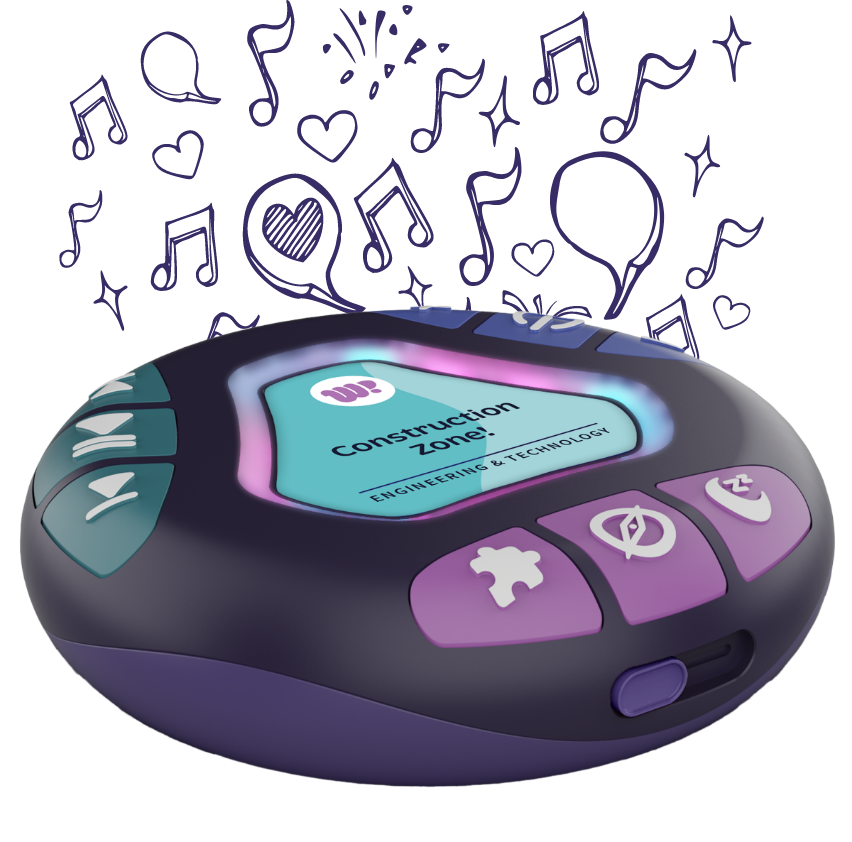
WhaZoodle is a durable, kid-friendly audio speaker preloaded with high-quality educational andentertainment content. Designed for children ages 3-12, WhaZoodle offers a screen-freeexperience and never requires Wi-Fi, downloads, or logins. With simple, tactile controls, childrencan independently explore stories, music, podcasts, movement activities, and more